ODS.ODSAddressBookShareContactToPublic
ODS-Addressbook WebID Protocol Share Contact to Public
- Make sure the initial steps from the ODS Addressbook WebID Protocol Share Contact Guide are performed.
- Set Public WebID ACL Inheritance to be applied automatically to every new contact you add in your Addressbook or:
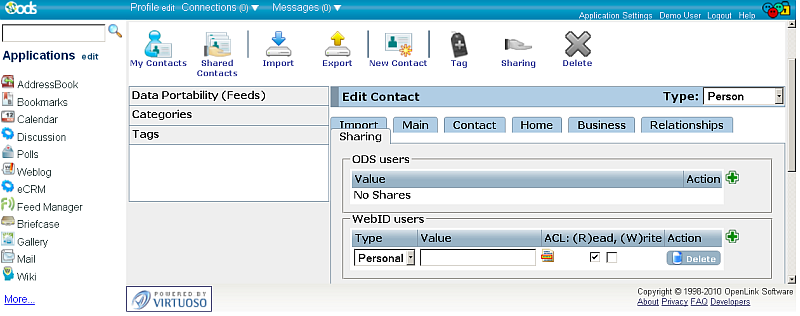
- Manually set the Public WebID ACL by going for a given contact in ODS-Addressbook -> Contact -> Edit -> Sharing tab.
- In the "WebID users" section click the "Add" button in order to set respectively the desired rights.
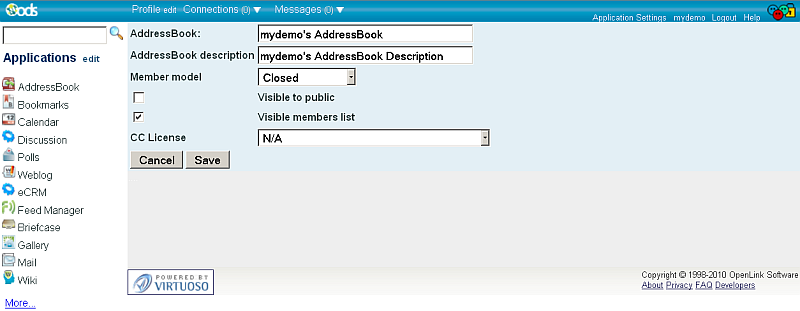
- In the shown form:
- Select for "Access Type": Public
- Set Web Access, for example by checking the (R)ead check-box.
- Click the "Save" button.
- Read here how to view the shared contact.
Related
- ODS-Adressbook
- Setting Up WebID ACL for ODS Addressbook Dataspace Instance * Safeguarding your Virtuoso-hosted SPARQL Endpoint
- SPARQL Endpoint Protection Methods Collection
- Virtuoso documentation
- Virtuoso Tips and Tricks Collection
- SPARUL over SPARQL using the http://cname:port/sparql-auth endpoint
- Virtuoso Authentication Server UI
- Manage a SPARQL-WebID based Endpoint
- WebID Protocol Support in OpenLink Data Spaces.
- Manage ODS Datadspaces Objects WebID Access Control Lists (ACLs):
- Guide for Set up a X.509 certificate issuer and HTTPS listener and generate ODS user certificates
- Configure Virtuoso+ODS instance as an X.509 Certificate Authority and HTTPS listener
- Configure Virtuoso instance as an X.509 Certificate Authority and HTTPS listener
- Setting up PubSubHub in ODS
- PubSubHubBub Demo Client Example
- Feed subscription via PubSubHub protocol Example
- Setting Up PubSubHub to use WebID Protocol or IP based control lists
- CA Keys Import using Conductor
- Generate an X.509 Certificate hosted WebID Guide
- Generate an X.509 Certificate (with a WebID watermark) to be managed by host operating system keystore
- Generate an X.509 Certificate (with a WebID watermark) to be managed by a browser-based keystore
- Using Virtuoso's WebID Verification Proxy Service with a WebID-bearing X.509 certificate
- Using Virtuoso's WebID Identity Provider (IdP) Proxy Service with an X.509 certificate
- ODS Briefcase WebID Protocol Share File Guide
- WebID Protocol Specification
- Test WebID Protocol Certificate page
- WebID Protocol Certificate Generation page