Configuring an external IMAP4 account in ODS-Mail
This guide demonstrates how to use the ODS-Mail UI to set an external IMAP4 account, and retrieve synchronized messages.
- Confirm that ODS-Mail has been installed in your host ODS instance.
- Browse to your host ODS instance,
http://<cname>[:<port>]/ods, e.g., http://id.myopenlink.net/ods/. - Log in.
- Create ODS-Mail instance:
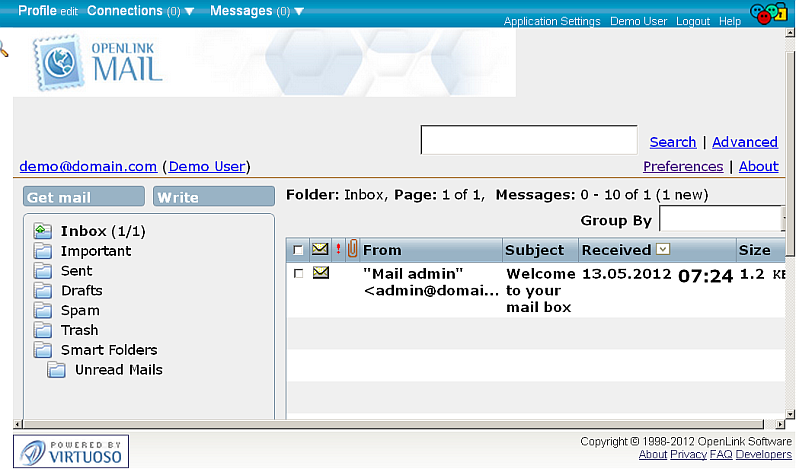
- Go to Preferences:
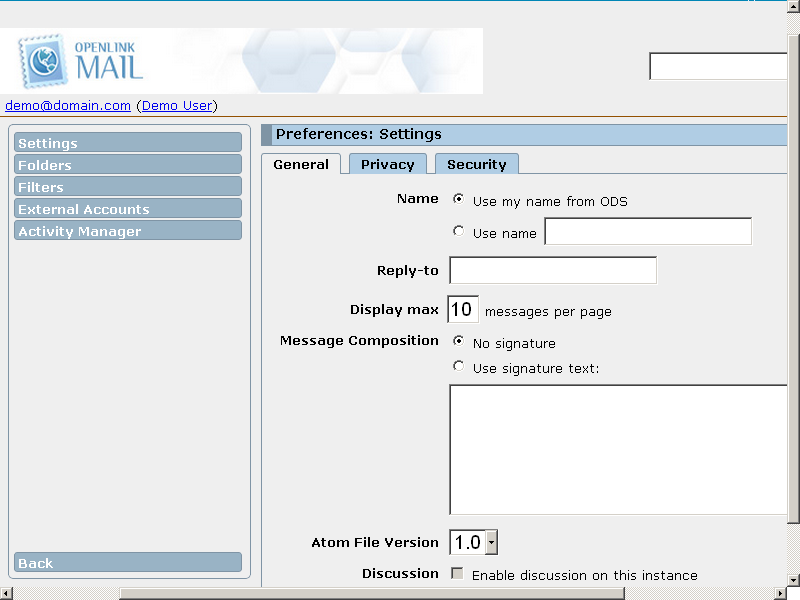
- Click External Accounts in the left pane:
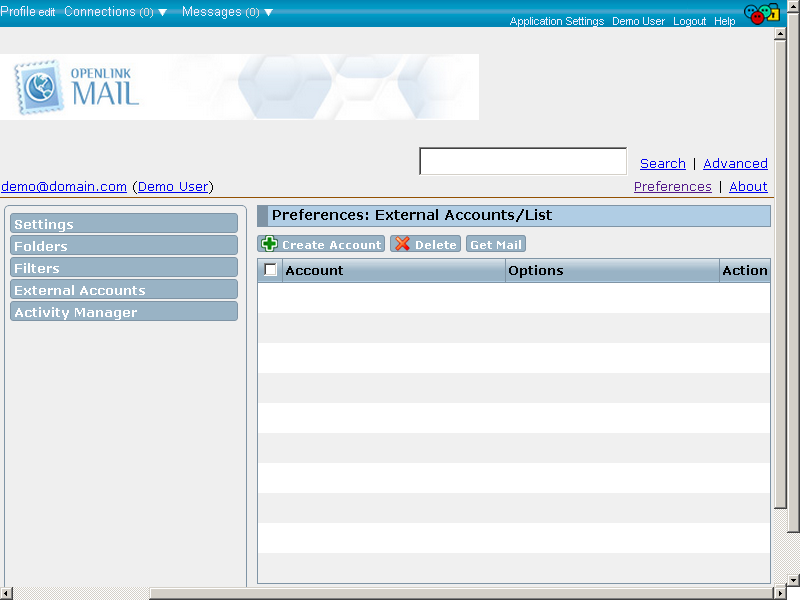
- Click the Create Account button:
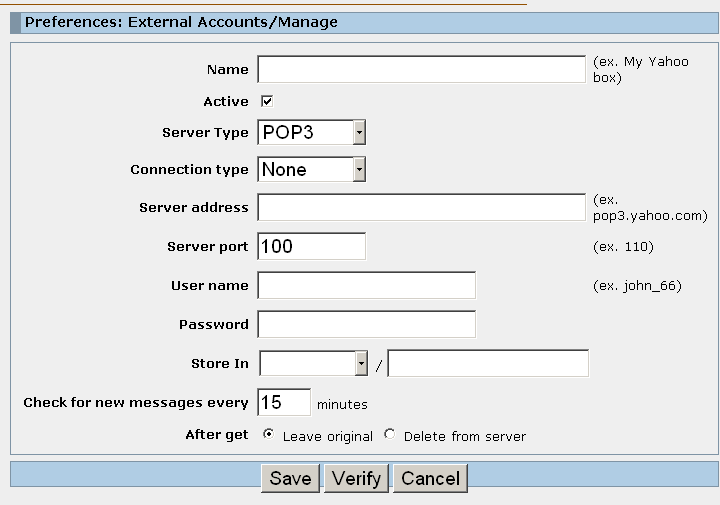
- Fill out the form presented:
- Name: your own name for the external mail box, e.g., "My GMail via IMAP"
- Server type: specify: "IMAP"
- Connection type: None or SSL/TSL, for example, "SSL/TSL"
- Server address: the address of the external IMAP4 Account Server, for example "imap.gmail.com"
- Server port: the external IMAP4 Account Server's port, for ex: "993"
- Username: your username for your account on the given external IMAP4 Account Server
- Password: the password for your account on the given external IMAP4 Account Server
- Store in: the location in your ODS-Mail, where the retrieved messages from your external IMAP4 account will go, for example, "Inbox" / "MyImapMail"
- Check for new messages every 15 minutes, for example
-
After get: set "Leave original" / or "Delete from server after retrieval"
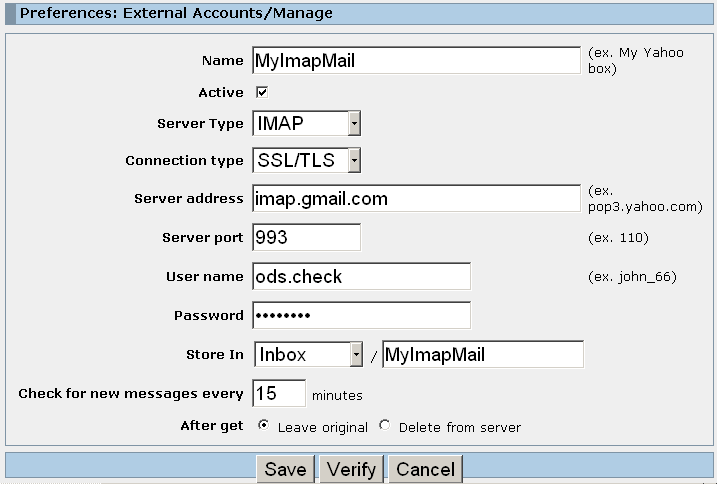
- Click "Verify" to verify your account setting and log in credentials:
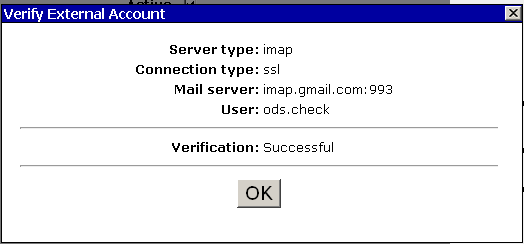
- Click "Ok" and then click "Save".
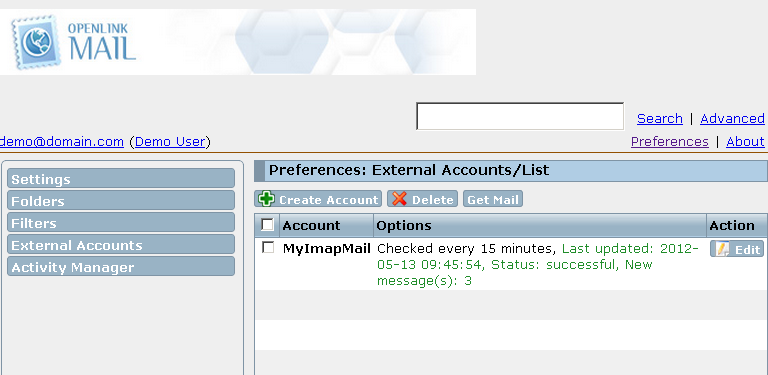
- As result the created external IMAP4 Account should be presented in the list of available ODS user's External accounts:
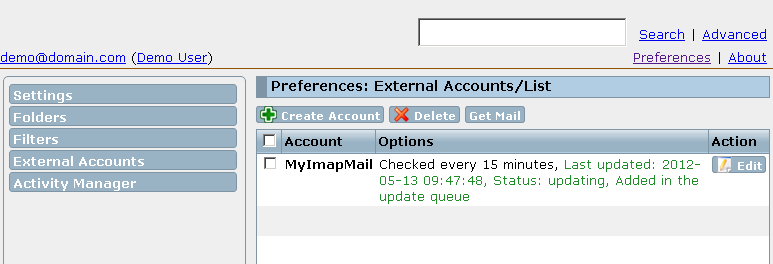
- If you want to manually retrieve the messages from your external IMAP4 account, hatch the check-box in front of the account and click the "Get Mail" button:
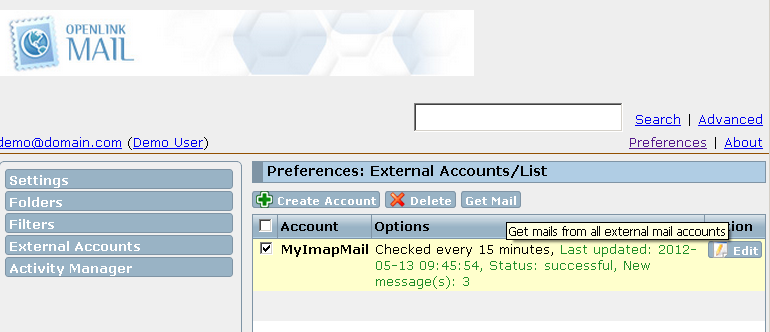
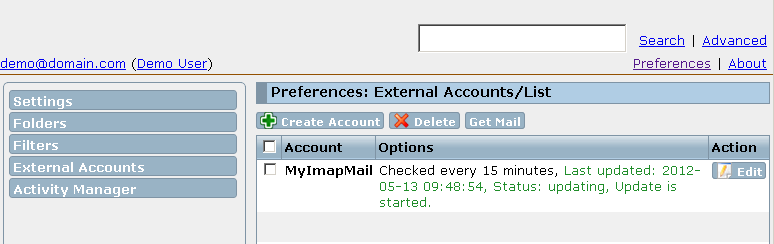
- Status information should be presented:
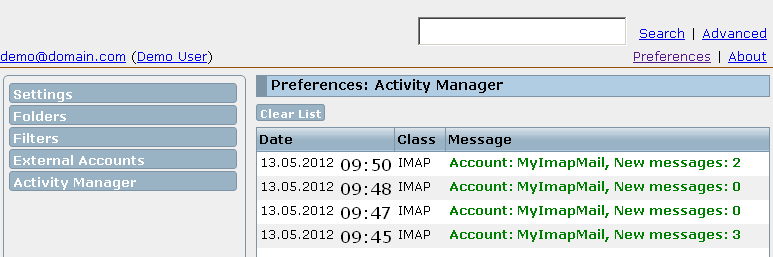
- To view how many messages have been retrieved, you can go to "Activity Manager":
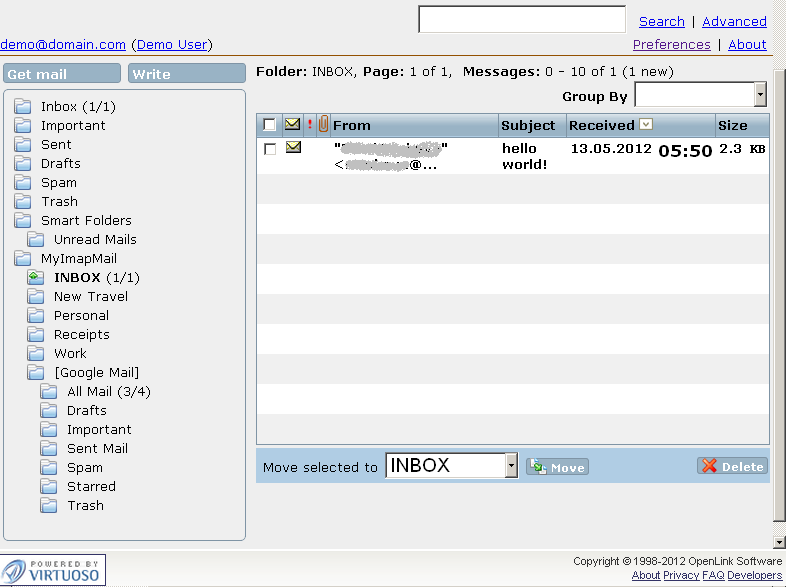
- View your external account messages by going to the set from above external IMAP4 account folder, for ex.
as in our example Inbox -> My GMail via IMAP
Related
- ODS-Mail
- ODS-Mail's Installation Guide
- Creating Filters in ODS-Mail
- ODS-Mail's SMIME + WebID Support Guide
- ODS-Mail's Programmers Guide
- Configure an external POP3 account in ODS-Mail
- Synchronizing Mozilla Thunderbird IMAP4 account store with ODS-Mail IMAP4 mapped instance