Certificate Authority and Issuer Setup Guide
The following step-by-step guide walks you through the processing of configuring your ODS instance for issuing CA-Authority notarized X.509 certificates for ODS instance users.
Certificate Authority Setup
- Install the ODS Framework and Virtuoso Conductor VAD packages.
- Bind your Virtuoso HTTPS Listener to host a CA-Authority certificate.
ODS Endpoint Configuration
Note: If the- Go to Conductor -> System Admin -> Security -> Public Key Infrastructure -> Configure HTTPS Listeners.
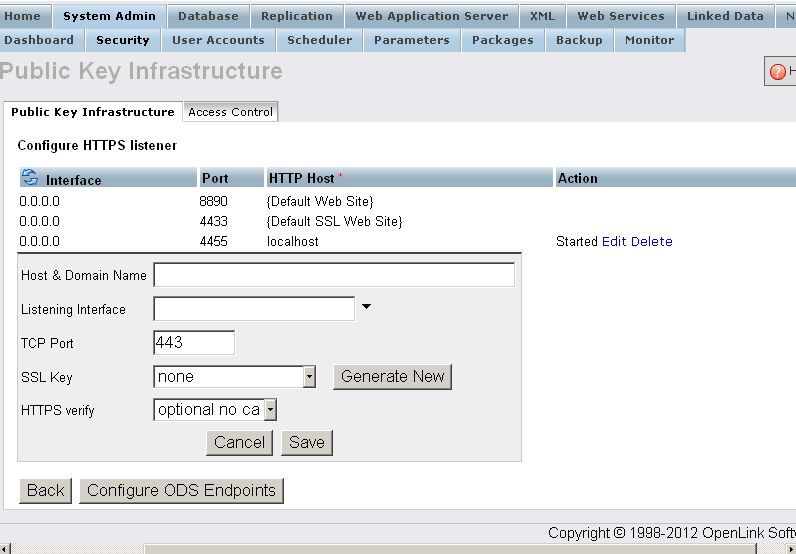
- Click Configure ODS Endpoints
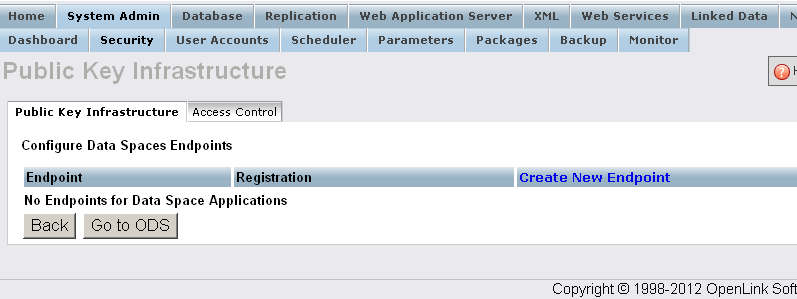
- Click Create New Endpoint
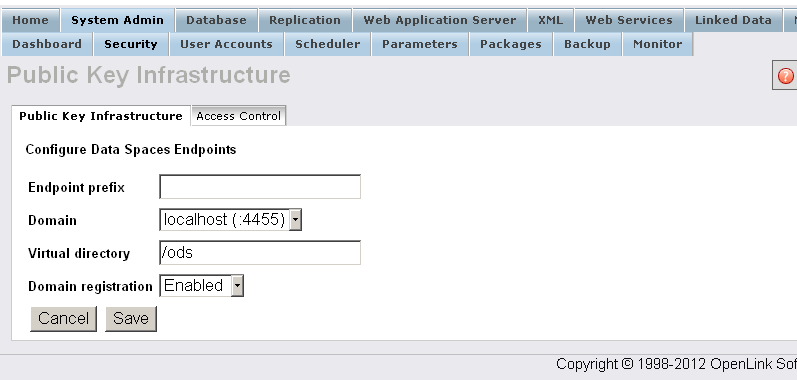
- Enter the home path for ODS, and save:
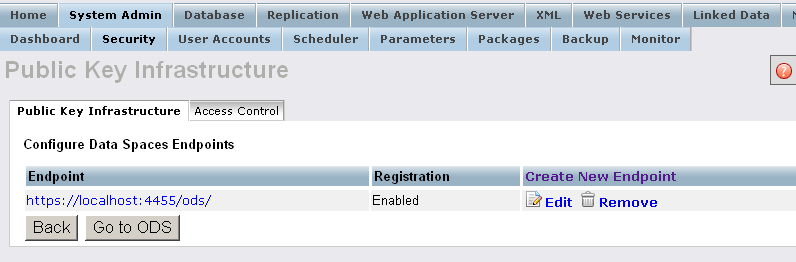
- The new endpoint should now appear in the Endpoints list:
- Go to the HTTPS site, e.g.,
https://<cname>:<port>/ods/; in our example,https://localhost:4433/ods/.- If Firefox is used, it will complain that the certificate is not valid, so we must register the site's certificate.
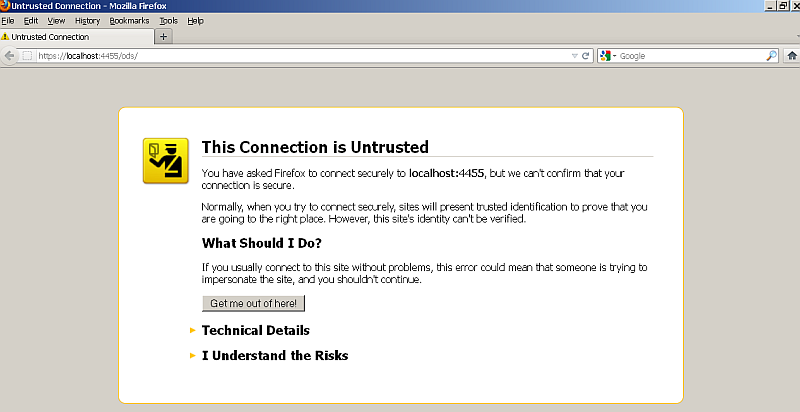
- To add an exception to the Firefox certificate manager, drill down to Firefox Tools -> Options -> View Certificates -> Servers -> Add Exception.
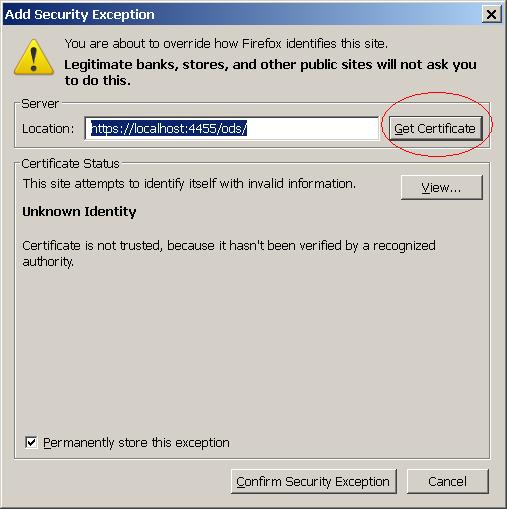
- Confirm exception.
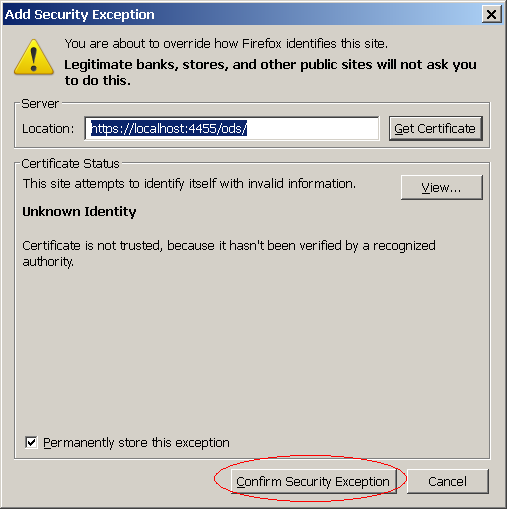
- If Firefox is used, it will complain that the certificate is not valid, so we must register the site's certificate.
- Return to the ODS site, and register new user.
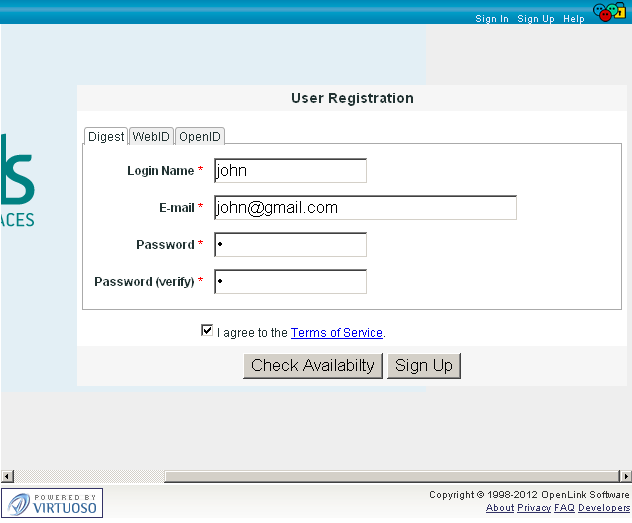
- Generate an X.509 Certificate for the new user.
- Log out from ODS and refresh browser to simulate opening the ODS site.
- Go to
https://<cname>:<ssl-port>/ods/. The browser will ask for a certificate; select the one you generated in the steps above.
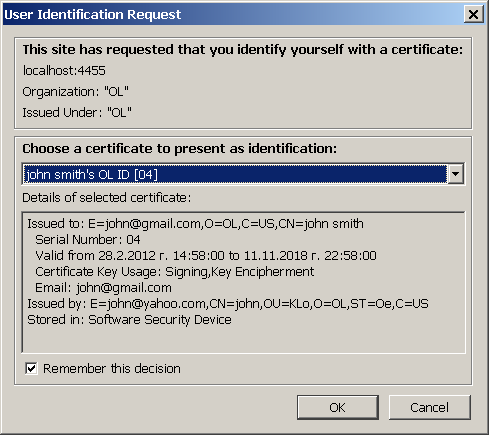
- ODS presents your card, and asks whether to login with that certificate.
Confirm it.
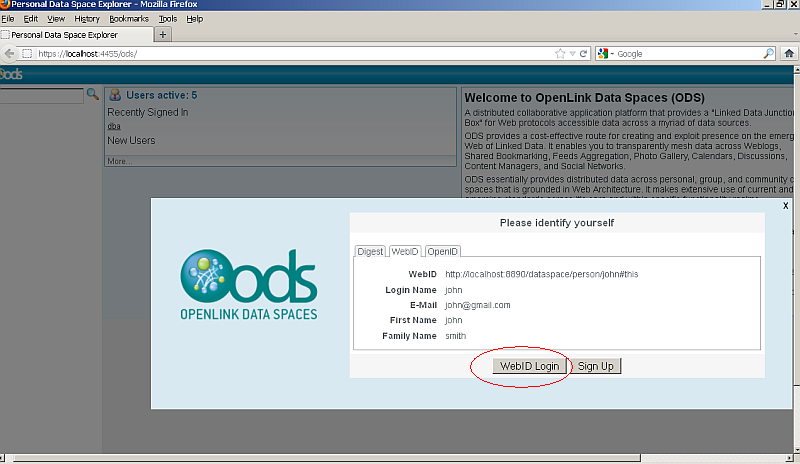
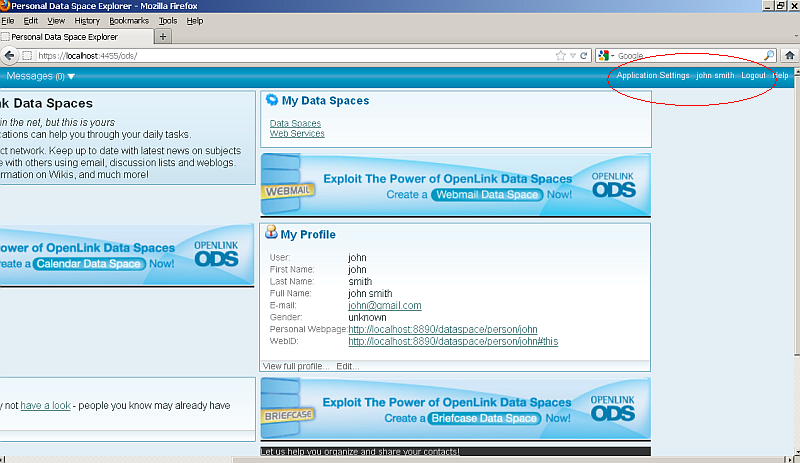
- You should now be logged in to ODS via WebID Protocol.
Related
- Safeguarding your Virtuoso-hosted SPARQL Endpoint
- SPARQL Endpoint Protection Methods Collection
- Virtuoso documentation
- Virtuoso Tips and Tricks Collection
- SPARUL over SPARQL using the http://cname:port/sparql-auth endpoint
- Virtuoso Authentication Server UI
- Manage a SPARQL-WebID based Endpoint
- Configure Virtuoso+ODS instance as an X.509 Certificate Authority and HTTPS listener
- Configure Virtuoso instance as an X.509 Certificate Authority and HTTPS listener
- WebID Protocol Support in OpenLink Data Spaces.
- Manage ODS Datadspaces Objects WebID Access Control Lists (ACLs):
- Setting up PubSubHub in ODS
- PubSubHubBub Demo Client Example
- Feed subscription via PubSubHub protocol Example
- Setting Up PubSubHub to use WebID Protocol or IP based control lists
- CA Keys Import using Conductor
- WebID Protocol Support in OpenLink Data Spaces.
- Generate an X.509 Certificate hosted WebID Guide
- Generate an X.509 Certificate (with a WebID watermark) to be managed by host operating system keystore
- Generate an X.509 Certificate (with a WebID watermark) to be managed by a browser-based keystore
- Using Virtuoso's WebID Verification Proxy Service with a WebID-bearing X.509 certificate
- Using Virtuoso's WebID Identity Provider (IdP) Proxy Service with an X.509 certificate
- ODS Briefcase WebID Protocol Share File Guide
- WebID Protocol Specification
- Test WebID Protocol Certificate page
- WebID Protocol Certificate Generation page