Delegated WebID Verification Service
- What?
- Why?
- How?
- Examples of using the Web ID Verification Service Endpoint with requesting Web ID authentication Service Endpoint
- Examples Using cURL
- Prerequisites
- Example 1: Call the Web ID Verification Service with Certificate and Callback URL Parameters
- Example 2: Call the Web ID Verification Service without Certificate and Callback URL Parameters
- Client Using the Web ID Verification Service Sample Scenarios
- Related
What?
A delegated (proxy) service that provides WebID verification to 3rd party HTTP applications. This service currently uses WebIDs based on the following URI schemes:http:, ldap:, mailto:, acct:.
Other URI schemes will be added over time.Why?
WebID shouldn't require developers and end-users to build every layer of the technology stack en route to exploitation. This service provides a simple URL pattern for existing HTTP applications seeking to verify WebIDs via the WebID verification protocol.How?
This service takes the following inputs via URL parameters:
- a callback URL (for your actual authentication service endpoint);
- optional X.509 certificate for the identity being verified by the calling service.
It returns the following payload via URL parameters:
- verified WebID;
- error: error code if verification fails;
- ts: timestamp in ISO 8601 format;
- RSA-SHA1 digest (digital signature) of the URL returned to the calling service.
Examples of using the Web ID Verification Service Endpoint with requesting Web ID authentication Service Endpoint
These examples make use of the following endpoints:
- http://id.myopenlink.net/ods/webid_demo.html -- an authentication service that delegates WebID verification to a proxy service
- http://id.myopenlink.net/ods/webid_verify.vsp -- actual proxy (delegated) service.
Prerequisites
If you want to use your own Virtuoso instance for this exercise, please ensure the following steps are performed:
- Start Virtuoso server instance (locally, remote, EC2 AMI, etc. );
- Configure an HTTPS Listener for handling HTTPS requests from HTTP user agents (clients);
- Install the ODS Framework VAD package;
- Install the HTML based Certificate Generator VAD package;
- Create an X.509 Certificate with WebID watermark. Otherwise, simply use the live certificate generation service at: http://id.myopenlink.net/certgen/.
Example 1
- Go to http://id.myopenlink.net/ods/webid_verify.vsp :
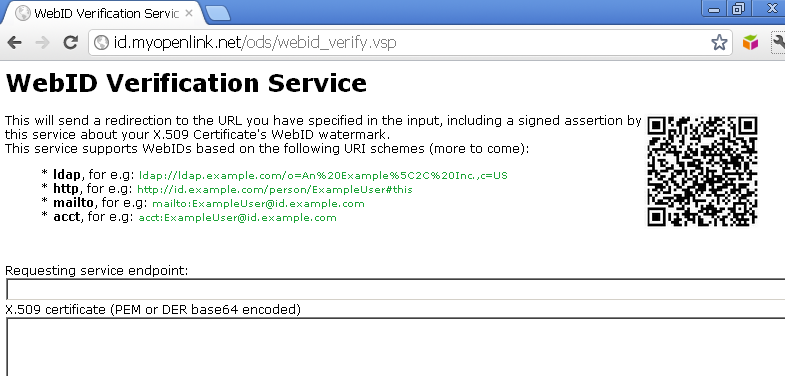
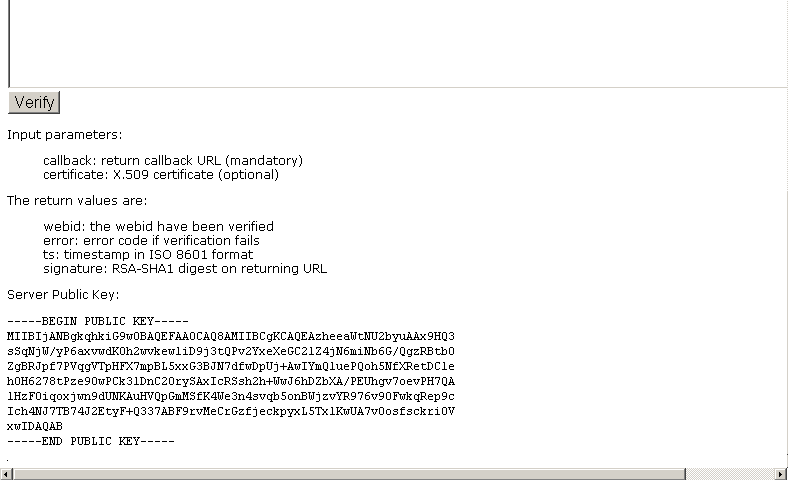
- Using the form presented, fill in the following:
- "Requesting service endpoint:": http://id.myopenlink.net/ods/webid_demo.html
- Leave the X.509 certificate input area empty:
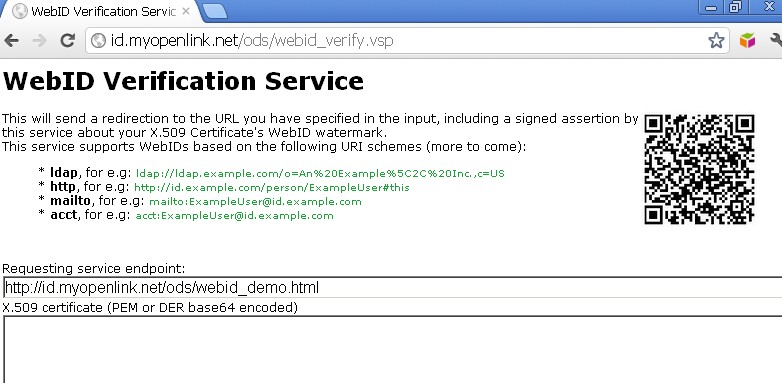
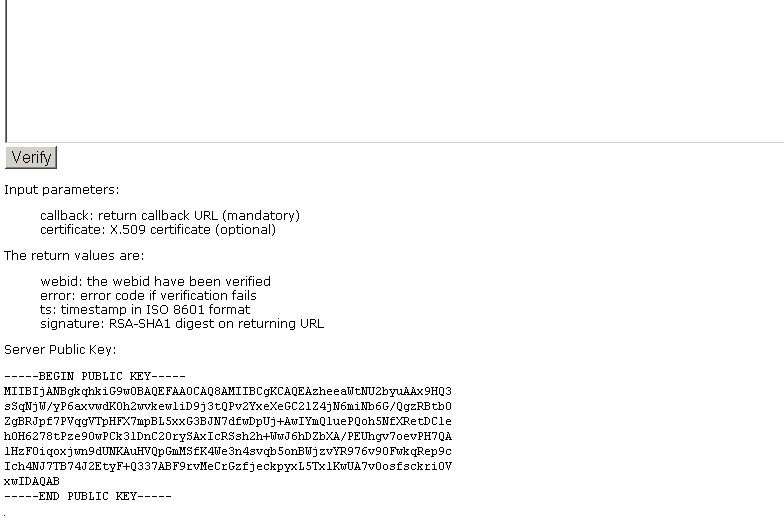
- Click "Verify".
- As result you should be redirected to the callback URL and in this case the verification will fail since it doesn't have an X.509 certificate to verify, but a new form is presented due to the effects of the callback URL of the calling service:
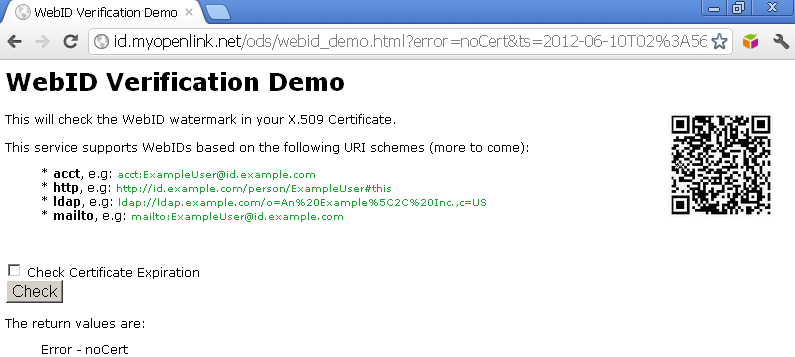
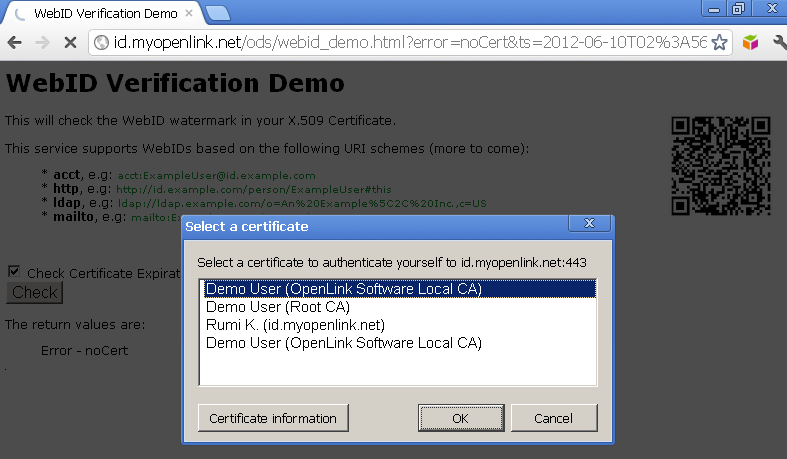
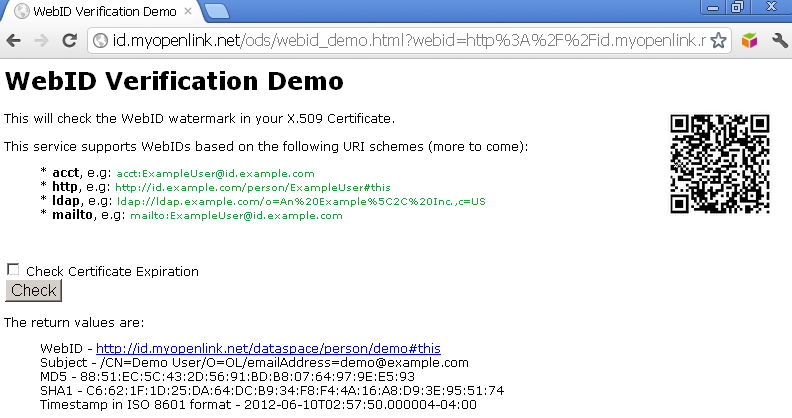
- Click on the "Check" button and you will be challenged to presented an X.509 certificate, and if the certificate presented bears a WebID watermark in its Subject Alternative Name (SAN) slot, verification will be successful.
Example 2
- Go to http://id.myopenlink.net/ods/webid_verify.vsp :
- Using the form presented, fill in the following:
- "Requesting service endpoint:": http://id.myopenlink.net/ods/webid_demo.html
- Paste a base64 DER or PEM encoded representation of the X.509 certificate (that has a WebID watermark in its SAN slot) into the X.509 certificate input area:
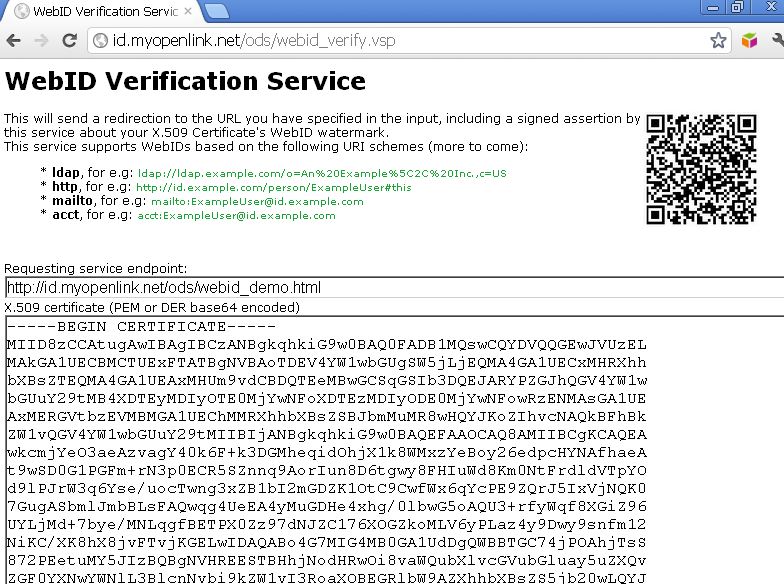

- Click "Verify".
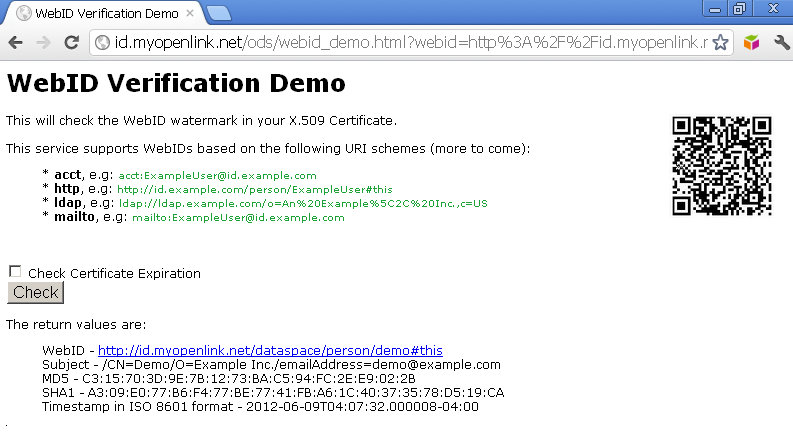
- As result you should be redirected to the callback URL and in our case the verification is successful - the WebID, Subject, RSA-SHA1 digest (digital signature) of the callback URL returned, and timestamp in ISO 8601 format will be presented.
Examples Using cURL
Prerequisites
If you want to use your own Virtuoso instance for this exercise, please ensure the following steps are performed:
- Start Virtuoso server instance (locally, remote, EC2 AMI, etc. );
- Configure an HTTPS Listener for handling HTTPS requests from HTTP user agents (clients);
- Install the ODS Framework VAD package;
- Install the HTML based Certificate Generator VAD package;
- Create an X.509 Certificate with WebID watermark. Otherwise, simply use the live certificate generation service at: http://id.myopenlink.net/certgen/.
- Using the service at: http://id.myopenlink.net/certgen/, export the generated X.509 Certificate and its associated private key to a local PKCS#12 (.p12 of .pfx) file system e.g., the file: "demo.p12" and password: "test"; or simply export to a PEM file.
- Alternatively, you can achieve the same using OpenSSL utilities by executing the following from the command line:
openssl pkcs12 -in demo.p12 -out demo.pem -nodes
Example 1: Call the Web ID Verification Service with Certificate and Callback URL Parameters
In this example the cURL command includes the "-E" parameter which provides the X.509 certificate required by the proxy verification service:
curl -i -k -E demo.pem:test https://id.myopenlink.net/ods/webid_verify.vsp?callback=http://id.myopenlink.net/ods/webid_demo.html

HTTP/1.1 302 Found
Server: Virtuoso/06.03.3131 (Linux) x86_64-generic-linux-glibc25-64  VDB
Connection: Keep-Alive
Content-Type: text/html; charset=UTF-8
Date: Mon, 06 Feb 2012 12:55:55 GMT
Accept-Ranges: bytes
Location: http://id.myopenlink.net/ods/webid_demo.html?webid=http%3A%2F%2Fid.myopenlink.net%2Fdataspace%2Fperson%2Fdemo%23this&ts=2012-02-06T07%3A55%3A55.000011-05%3A00&signature=vVhmk%2Fni1WN%2BEahDdnslPOd%2F8RCXdfdK1Syo4hDrIwCBf%2FDpGIMQjI%2FAhyIZW%2BsvV%2BKlWRBeFsDWyVZjRK6bkx2sC%2B4R4Pj1zH8539p7j8H0j8BLqBV9E3yhVvwTUhf4YdqVbXAzGBVwkuaxpfePWCjFhmvwAtkHH25Mo1wwvCE%3D
Content-Length: 0
- In case of successful WebID verification, the WebID should be returned, as above:
webid=http%3A%2F%2Fid.myopenlink.net%2Fdataspace%2Fperson%2Fdemo%23this
- Additionally a timestamp in ISO 8601 format should be returned, as above:
ts=2012-02-06T07%3A55%3A55.000011-05%3A00
Example 2: Call the Web ID Verification Service without Certificate and Callback URL Parameters
In this example the cURL command excludes the "-E" parameter.
Thus, an X.509 certificate isn't presented to the proxy verification service:
curl -i -k https://id.myopenlink.net/ods/webid_verify.vsp?callback=http://id.myopenlink.net/ods/webid_demo.html

HTTP/1.1 302 Found
Server: Virtuoso/06.03.3131 (Linux) x86_64-generic-linux-glibc25-64  VDB
Connection: Keep-Alive
Content-Type: text/html; charset=UTF-8
Date: Mon, 06 Feb 2012 13:02:28 GMT
Accept-Ranges: bytes
Location: http://id.myopenlink.net/ods/webid_demo.html?error=noCert&ts=2012-02-06T08%3A02%3A28-05%3A00&signature=Kp99KHmQwv8Ar7R4L5Iofh3ZO63uPUkZu%2FZiS%2FUz%2BF8pdXMQiS4Mjy5vH3WGkqCGLLrEJv1Rth%2BTfZ7TXohtwNrIveZR6jIymLYyacaTY70VZ6Em%2B6SbJxuE3mzfKlmEOeKGIZQkDQcn67PjI2TQ42830ybXjobDr9t9DoNZTHE%3D
Content-Length: 0
- In case of any error, the service returns "
error=.." as it is in our example showing there is no certificate to verify:
error=noCert
cURL showcases how the client of a WebID authentication client and proxy service can exchange messages using REST patterns via HTTP.
Client Using the Web ID Verification Service Sample Scenarios
The following examples include Virtuoso PL (VSP), JavaScript, and PHP variants.
Each has as part of their prototype (or call signature) an Address (a URL) that is used by the webid_verify.vsp service.
Virtuoso Server Pages (VSP) Example
This example presents a VSP client leveraging service with an X.509 Cert bearing a standard http: scheme URI re. its SAN hosted WebID watermark.
- View the code here;
- Note: The VSP pages can be tested/used both in case they are located in OS file system / or DAV. See more details.
Trying the service via http:
- Access http://<cname>/ods/webid/webid_demo.vsp:
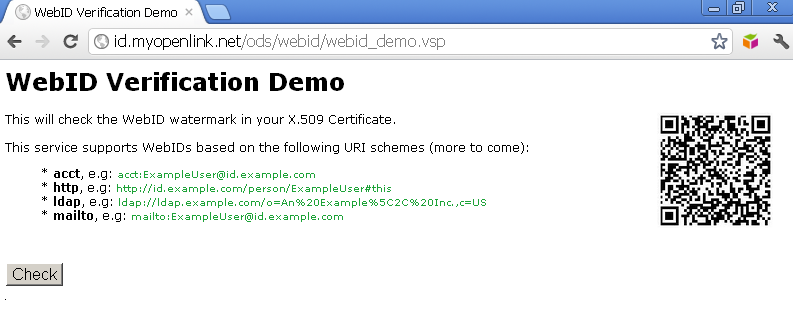
- Click the "Check" button.
- As a result you should be challenged to present an certificate that has WebID watermark:
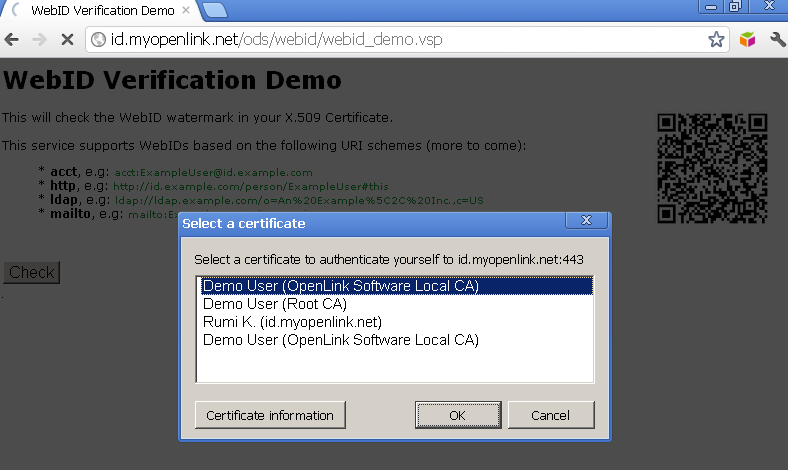
- Click "Ok".
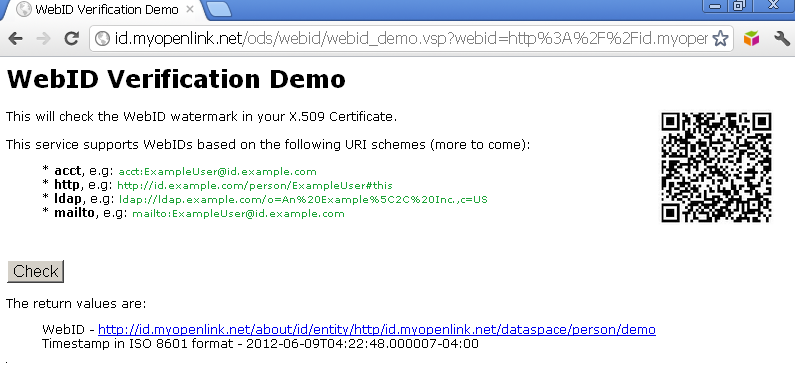
- As a result you should be redirected to a page with URL including the signature and timestamp REST pattern parameters, and in case of successful authentication, you should be presented the WebID extracted value and timestamp in ISO 8601 format:
Javascript Example
This example presents a JavaScript client leveraging service with an X.509 Cert bearing a standard http: scheme URI re. its SAN hosted WebID watermark.
- View the code here;
- Note: The Javascript pages can be tested/used both in case they are located in OS file system / or DAV. See more details.
Trying the service via http:
- Access http://<cname>/ods/webid/webid_demo.html :
- Note: Optionally you can hatch "Check Certificate Expiration":
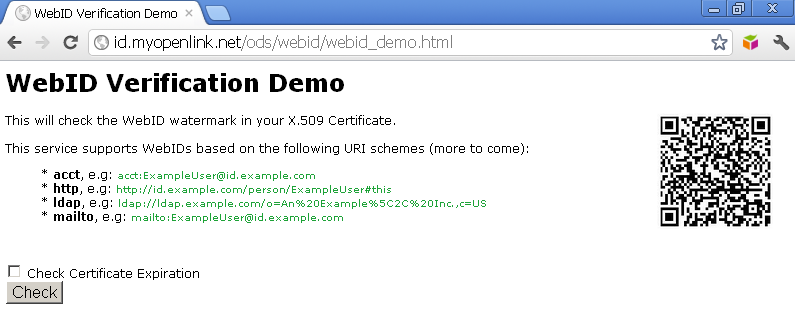
- Note: Optionally you can hatch "Check Certificate Expiration":
- Click the "Check" button.
- As a result you should be challenged to present an certificate that has WebID watermark:
- Click "Ok".
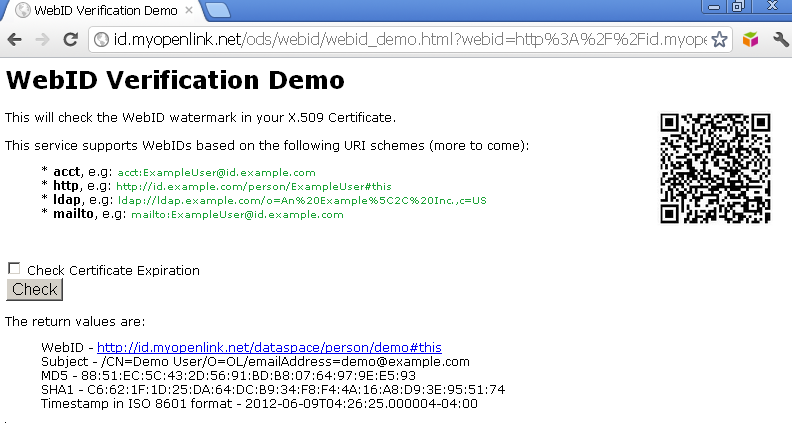
- As a result you should be redirected to a page with URL including the signature and timestamp REST pattern parameters, and in case of successful authentication, you should be presented the WebID extracted value, Subject, MD5, SHA1 and timestamp in ISO 8601 format:
PHP Example
This example presents a PHP client leveraging service with an X.509 Cert bearing a standard http: scheme URI re. its SAN hosted WebID watermark.
- View the code here;
- Notes: The PHP pages can be tested/used only when they are located in OS file system. See more details.
Trying the service via http:
- Access http://<cname>/ods/webid/webid_demo.php :
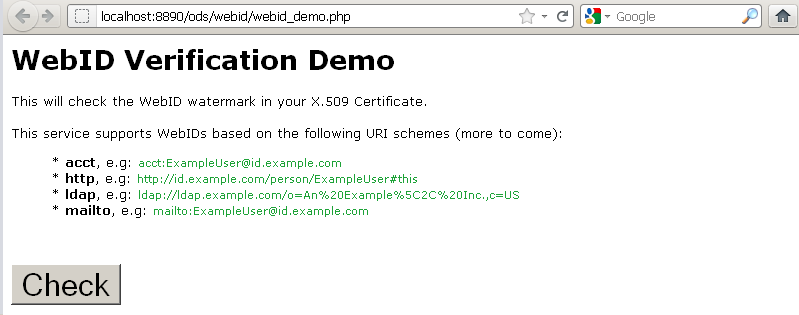
- Click the "Check" button.
- As a result you should be challenged to present an certificate that has WebID watermark:
- Click "Ok".
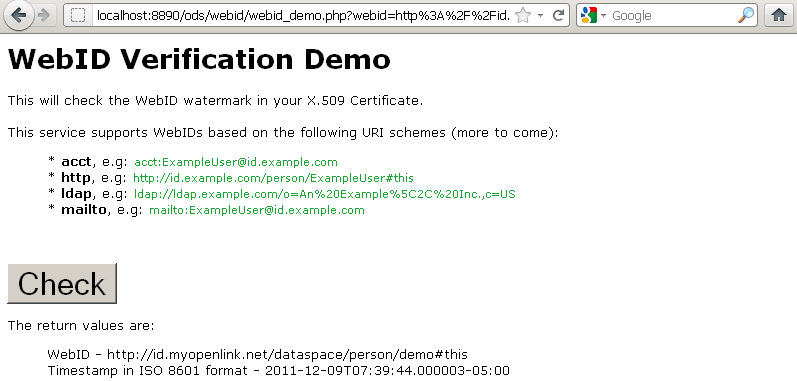
- As a result you should be redirected to a page with URL including the signature and timestamp REST pattern parameters, and in case of successful authentication, you should be presented the WebID extracted value and timestamp in ISO 8601 format:
Related
- Using Virtuoso's WebID Identity Provider (IdP) Proxy Service with an X.509 certificate bearing an LDAP scheme WebID
- Safeguarding your Virtuoso-hosted SPARQL Endpoint
- SPARQL Endpoint Protection Methods Collection
- Virtuoso documentation
- Virtuoso Tips and Tricks Collection
- SPARUL over SPARQL using the http://cname:port/sparql-auth endpoint
- Virtuoso Authentication Server UI
- Manage a SPARQL-WebID based Endpoint
- WebID Protocol Support in OpenLink Data Spaces.
- Manage ODS Datadspaces Objects WebID Access Control Lists (ACLs):
- Guide for Set up a X.509 certificate issuer and HTTPS listener and generate ODS user certificates
- Configure Virtuoso+ODS instance as an X.509 Certificate Authority and HTTPS listener
- Configure Virtuoso instance as an X.509 Certificate Authority and HTTPS listener
- Setting up PubSubHub in ODS
- PubSubHubBub Demo Client Example
- Feed subscription via PubSubHub protocol Example
- Setting Up PubSubHub to use WebID Protocol or IP based control lists
- CA Keys Import using Conductor
- Generate an X.509 Certificate hosted WebID Guide
- Generate an X.509 Certificate (with a WebID watermark) to be managed by host operating system keystore
- Generate an X.509 Certificate (with a WebID watermark) to be managed by a browser-based keystore
- ODS Briefcase WebID Protocol Share File Guide
- WebID Protocol Specification
- Test WebID Protocol Certificate page
- WebID Protocol Certificate Generation page